Rooli Casino App Australia: Mobile Browser & Installable Web App
 Available in US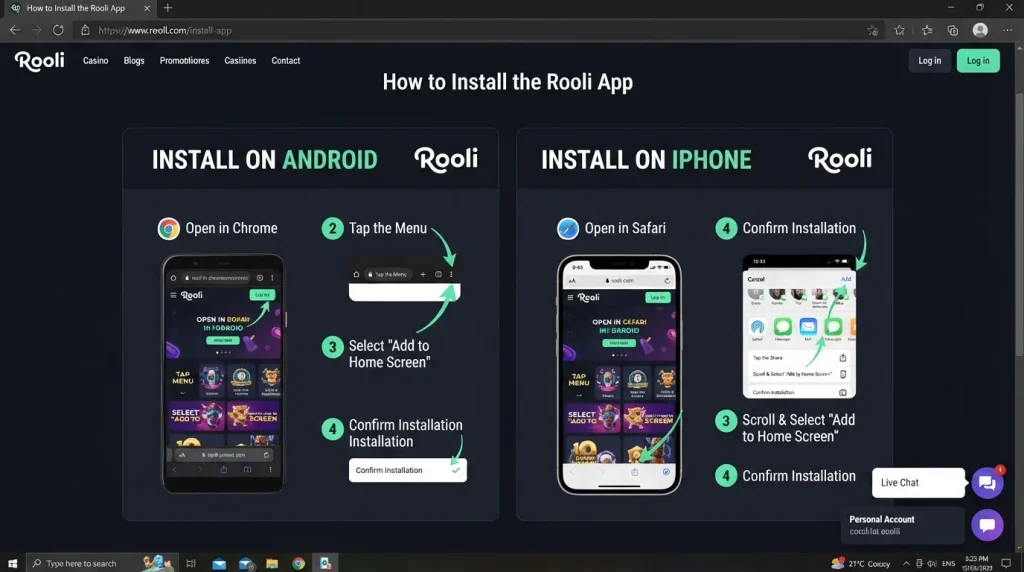
Mobile guide – checked 10 September 2026
The verified real-money Rooli mobile route is the Rooli website in a mobile browser, with an official Add to Home Screen installation process for both Android and iPhone. Rooli’s own install page tells Android users to open the browser menu, choose “Add to the Home Screen” and confirm installation. On iPhone it tells users to open the Share menu, choose “Add to Home Screen” and tap “Add”. That is an installable web experience, not evidence of a conventional native real-money casino app from the Apple App Store or Google Play. A separate Australian App Store listing called “Rooli Casino Rewards” describes social/demo gambling for entertainment, so it should not be confused with the real-money Rooli website. For Australian readers, the practical path is therefore simple: use the mobile site directly or install its home-screen shortcut.
Table of Contents
- Rooli app status at a glance
- How to install Rooli on Android
- How to add Rooli to an iPhone home screen
- Why the App Store result needs disambiguation
- Mobile browser versus installed web shortcut
- Using Rooli games on mobile
- Deposits and withdrawals from a phone
- Registration on mobile
- Mobile safety and practical setup
- Frequently asked questions
Rooli app status at a glance
| Question | Verified position | What it means in practice |
|---|---|---|
| Can Rooli be used on a phone? | Yes, through a mobile browser. | Open the Rooli website in a supported phone browser and use the same web service. |
| Can it be placed on the home screen? | Yes. Rooli publishes Android and iPhone Add to Home Screen instructions. | The shortcut launches the web experience from an app-like icon. |
| Is that the same as a native App Store or Google Play real-money app? | No native real-money store app is currently established by official Rooli materials. | Do not use a similarly named store listing as proof of the real-money product. |
| What is “Rooli Casino Rewards” in the Australian App Store? | A separate social/demo casino listing. | Its description says it is for entertainment and demo slot play, so it is not the real-money Rooli website. |
This distinction matters because search results can make several products with similar names look interchangeable. They are not. The safest identifier for the real-money mobile route is the official Rooli website and its own install instructions.
How to install Rooli on Android
Rooli’s current installation page gives a three-step Android flow. It is browser based, so the wording on the device can vary slightly with browser version, but the official sequence is clear:
- Open the Rooli home page. Use the browser on the Android phone and load the official site.
- Open the browser menu. Rooli’s instruction shows the three-dot menu and directs users to choose “Add to the Home Screen”.
- Confirm installation. The final Rooli instruction is to confirm by selecting the install action shown by the browser.
The resulting icon is best understood as a convenient entry point to the website. It reduces the need to type the address or find a browser bookmark, but it does not turn the service into a separately verified native Android casino application. That distinction is especially useful when a Google Play search surfaces another Rooli-named product that is not the real-money operator experience.
How to add Rooli to an iPhone home screen
The iPhone path is also documented by Rooli and follows Safari-style home-screen installation:
- Go to the Rooli homepage. Load the official site on the iPhone.
- Open the Share menu. Rooli tells users to tap the Share control in the browser navigation area and locate “Add to Home Screen”.
- Add the shortcut. Confirm by tapping “Add” so the Rooli web experience receives a home-screen entry.
This is the verified iPhone route for the real-money site. The existence of a different App Store title with Rooli in the name does not change the installation evidence published by the operator. If a native real-money Rooli client is introduced later, it should be verified from an official Rooli link to the relevant store listing before a review describes it as the operator’s app.
Why the App Store result needs disambiguation
The Australian App Store currently has a listing titled “Rooli Casino Rewards”. Its description calls it a social casino experience, refers to demo slot games and says the games are for entertainment purposes. The seller information also sits outside the Novatrix SRL operator context used by the real-money Rooli website. Those signals make it a different product for review purposes.
This is not a minor naming issue. A reader searching “Rooli app” can reasonably assume that the first store result is the casino’s real-money client. Treating it that way would create a false installation guide and could send readers into a product with different functionality. The current evidence instead supports two separate statements: Rooli’s real-money website has a browser installation path, and a similarly named store app is social/demo.
Mobile browser versus installed web shortcut
For day-to-day use, the two verified Rooli mobile routes point to the same website experience. Opening the site in a browser gives immediate access without installation. Adding it to the home screen creates a faster launch point and can make the service feel more like an app because the icon sits beside other applications.
The useful decision is therefore not “browser or native app”. Based on the current evidence, it is “browser tab or installed web shortcut”. Start in the browser if you use Rooli occasionally or want the simplest path. Use Add to Home Screen if you return often and want one-tap access from the phone’s main screen. In both cases, keep the official address as the reference point rather than relying on similarly named search or store results.
Browser behaviour can also change after iOS, Android or browser updates. Menu labels can move, saved sessions can expire, and permission prompts are controlled by the phone and browser as well as the site. Those normal mobile factors are reasons to follow the current on-screen flow rather than assume an older saved image will always match a newer device.
Using Rooli games on mobile
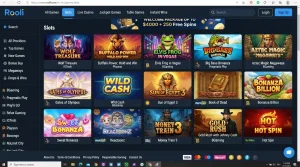
Rooli is usable through mobile browsers, so the main game route is not dependent on a native store download. The broader Rooli pokies and games covers the current catalogue structure, while this page focuses on mobile use.
For pokies, the practical checks are screen fit, orientation, touch controls and whether the game loads cleanly on the connection you are using. Individual titles come from different providers, so interface behaviour is not identical across the library. A game that is comfortable in portrait mode can behave differently from a wide table or feature-heavy title. Rotate the device when a game is designed for landscape rather than forcing a narrow layout.
Live casino adds another mobile constraint: streaming. A stable connection matters more because the browser has to handle video alongside the betting interface. If a live table stutters on mobile data, switching to a stable Wi-Fi connection or closing other high-bandwidth activity is a more useful troubleshooting step than repeatedly reinstalling a home-screen shortcut. The shortcut itself does not change the underlying network quality.
Deposits and withdrawals from a phone
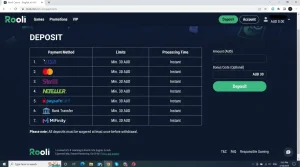
Rooli’s mobile route also needs to be practical beyond gameplay. The account experience is linked to an AUD-capable payment setup, and the dedicated Rooli payment methods explains the verified banking options and current AUD minimums. On a phone, the main extra consideration is hand-off between the browser and a bank, card authentication screen or e-wallet.
Before starting a payment, make sure you can return to the Rooli session after completing any external authentication. Do not assume that a method visible in a general article is guaranteed to appear for every account at every moment. The live cashier is the final place to check the method, currency, minimum and any method-specific limits presented to the account.
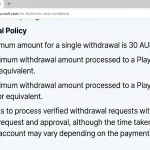
For withdrawals, verification can matter before processing. Keep access to the email address attached to the account and use accurate account information from the start. If Rooli requests KYC, a small phone screen can make document review less convenient, so check that photos are legible before submitting them rather than repeatedly sending unclear images.
Registration on mobile
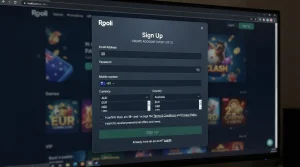
The mobile site exposes a sign-up route, but installing a home-screen shortcut does not bypass account rules. Rooli’s terms still apply, including its age requirement, one-person account rule and verification provisions. The separate Rooli registration explains the verified account setup requirements and what should be checked before the first deposit.
For mobile registration, the useful preparation is simple: use an email address you can access on the phone, enter personal details consistently, confirm the live currency and country fields shown by the form, and store credentials securely. Do not use a home-screen icon as evidence that a specific registration choice or legal status has been approved for Australia. Installation and account eligibility are separate questions.
Mobile safety and practical setup
- Start from the official Rooli site. Do not install a similarly named store app merely because its icon or title resembles the casino brand.
- Check the address before entering credentials. A home-screen shortcut is useful only when it was created from the intended official page.
- Use device security. A screen lock and current operating system reduce the risk of another person opening a saved casino session.
- Avoid shared devices for saved access. Rooli’s one-account rules and account security are easier to manage on a personal device.
- Review the live cashier. Mobile layout does not change the need to check current payment and withdrawal conditions.
- Keep browser data in mind. Clearing site data or changing browsers can remove saved sessions or home-screen behaviour.
Frequently asked questions
Does Rooli have a real-money iPhone app?
The current verified Rooli real-money installation route for iPhone is the website’s Add to Home Screen flow. The Australian App Store listing called “Rooli Casino Rewards” describes social/demo gambling and should not be presented as the real-money Rooli client.
Does Rooli have an Android app?
Rooli publishes Android installation instructions that use the browser’s Add to Home Screen function. That supports an installable web experience. It is not the same evidence as a verified native real-money Google Play application.
Can I just use Rooli in a browser?
Yes. Mobile-browser use is verified, so installing the shortcut is optional convenience rather than a requirement for accessing the web service.
Will the home-screen version have different casino games?
The installation instructions point to the Rooli web service rather than a separately documented native catalogue. Check the current mobile lobby for the games actually available to the account.
Where should I start if I am new to Rooli?
Use the main Rooli review for the full overview, then check account setup, payments and the game library before deciding whether the home-screen shortcut is useful for you.